If you have ever traveled to the Philippines during a holiday and are unaccustomed to the culture there, the word Karaoke may make you want to run for the hills. I know I got very little sleep during a social aid trip I did down there a number of years ago... there was singing everywhere all the time!
Now that I have recovered from that lovely bit of culture shock I find myself wanting to do some parodies of songs for some random side projects I have on the go that require moving the vocals from the song similar to a karaoke tune. So say for instance you were thinking of making a music video of you singing, but you actually needed a backup band (say a claymation backup band, because your real band was off for the night - or something). Anyway here are a couple of options I'd like to share with you on how to remove vocals from a track, completely free.
Option 1: go the internet suggested route using Audacity and subtracting the right channel from the left. There are a number of video tutorials out there on how to do this and it is pretty straight forward. This works because generally vocals are recorded in a mono channel, and then split between the left and right (so the wavelength is identical). When you invert one channel and subtract it from the other like this, in theory it should remove only the doubled frequency, being the vocals. I however didn't find this worked that well for the song I was working on (home-recorded folk bands apparently don't produce conventional mixes, who knew)
Option 2: Is super quick and worked great for me. It's a little plugin called Vocal Zap for iPhone or mac/pc that you can install and use with your favourite DAW software. And it works, so I would recommend this- unless you live in near Manilla and are the ladies who sang karaoke at 3am during the only reasonably temperatured hours of the night, in which case I would recommend something else.
**Note that neither method guarantees to totally remove the vocals in any track. However both are the best option for getting you as close as possible to a song with no vocals.
Tuesday, October 30, 2012
Thursday, October 25, 2012
Creating Automated Subtitles for Video
Normally I would try to edit the sound as best I can. But when all else fails, sometimes subtitles are the best way to go. Unfortunately, there are a bunch of special folks online who have suggested that the only way to add subtitles to a video are doing it one at a time by hand thought the "title" option in Premier Pro (I will be using CS6, but this also applies to CS4 and 5).
If you are like me, your reaction to this was something along the lines of "I quit". Until I found this video:
Here is a copy of the script that he referenced:
If you are like me, your reaction to this was something along the lines of "I quit". Until I found this video:
Here is a copy of the script that he referenced:
Adobe After effects Subtitles Script. For use with adobe premiere's transcription
L = thisComp.layer("name of your video. extension");
max = 5; // number of words to display
n = 0
if (L.marker.numKeys > 0){
n = L.marker.nearestKey(time).index;
if (L.marker.key(n).time > time){
n--;
}
}
s = " ";
if (n > 0){
base = Math.floor((n-1)/max)*max + 1;
for (i = base; i < base + max; i++){
if (i <= L.marker.numKeys){
s += L.marker.key(i).comment + " ";
}
}
}
s
Which can be found here: http://www.mediafire.com/?oko5zvmq3nnzktn
I take no credit for this, but thank you so much Tory Moghadam for the post!
Happy Subtitling!
Friday, October 12, 2012
HTML Email Template Tool from Heaven
So I at my desk coding like it was 1999 because I am making an HTML email, and I found this handy little freebie via google:
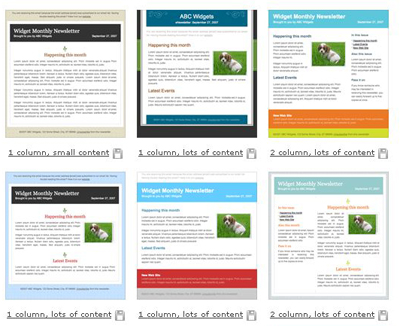
From Campaign Monitor, it's a fully free online HTML email template creator, and you can download the template at the end, no strings attached. It appears to have been tested in a number of browsers and on phones. I'm sold, and posting here so I can come back to it later.
They have a list of their resources on their site too.
From Campaign Monitor, it's a fully free online HTML email template creator, and you can download the template at the end, no strings attached. It appears to have been tested in a number of browsers and on phones. I'm sold, and posting here so I can come back to it later.
They have a list of their resources on their site too.
Thursday, October 11, 2012
Getting that Blurred background effect
How do you get that awesome blurry background effect you see professional videos and Photography?
Here are 9 Tips for getting the right background I thought were quite interesting.
More pro photography tips? I'd love to hear them!
Social Media Aggregation - helping you stay organized
Here is a quick list of Social Media tools that allow you to post in multiple places or are designed to make your life easier:

Tweetdeck shows Twitter and Facebook info in one place. Allows you to post in multiple places easily. Does include delayed posting.
Tweetdeck [Free]
Tweetdeck shows Twitter and Facebook info in one place. Allows you to post in multiple places easily. Does include delayed posting.
Allows you to manage multiple social media and blog type applications at once (Twitter, Facebook, LinkedIn, Google+, and more) . Also provides reports on your campaigns' effectiveness. Does include delayed posting.
Sends your blog to Social Media sites via RSS. You can sign in with a number of things, including Blogger!
A blog that can be posted to by email, and then posted from to a number of sites (full list, but I think this is an older post, last time I checked there was a closer to 20). I use it. It's wonderful.
Twitterfeed [Free]
Sends your blog to Social Media sites via RSS. You can sign in with a number of things, including Blogger!
Posterous [Free]
An interesting read: How Much Do Pro Social Media Management Tools Cost?
I will add more as I find them. These seems to be the standard set, the most commonly known and used.
Know more tools? Let me know!
Twitter for Beginners
For those of us that speak English, internet speak - especially on Twitter- can be a little overwhelming for the new user. So before you get online, here are some tips and tricks to decode what is being said, and some tools to keep track of all the social media accounts you are keeping up with with Twitter being at the centre.
I would still like to stress that being educated and having a Social Media plan is the most powerful tool in your hand (need help? Your Social Media Plan in 5 Easy Steps or 60 Second Solution [video] are good places to start). So do that - sit down with the appropriate people in your company and come up with who you are, why you are on specific sites, what should be posted where and when (?), and who is going to do it. Do your homework, then read on.
Referencing people or concepts in tweets
@ScreenName: On Twitter the "@" doesn't refer to an email address. The @ is typically followed by someone’s screen name. It’s a way to hold a public conversation with that person, or to refer to them in a post. Think of it as directing your public message at (@) someone specific, and that someone is defined by their "screen name" or twitter account name etc (bad grammar I know, sorry). When you hit "Reply" Twitter automatically places an @ScreenName in the new posting space so you are responding to the correct people.
Hashtag (#): The hashtag or sharp symbol(#) before a word or phrase on Twitter is essentially a keyword tag for the tweet so that others talking about similar topics can find it more easily. On Twitter this is called a hashtag and they can be serious (eg #advice or #blogging) or funny (ex. #sogood) and usually refer to a concept (#coffeetime) or an event (#SocialMediaConference2012) or anything you would like to make a collection of posts about with people of like posts. Not every tweet needs hashtags. Basically, it’s a way to follow the stream of everyone talking about a specific subject. If you click on the link created by a hashtag in a post, you can see what others are posting about the same topic. (example: #coffee)
DM: DM stands for direct message. It’s a way to hold a private conversation with another Twitter user, but you can only DM people who are already following you. You can find this option in the upper right hand navigation (see picture). Note: typing DM doesn't send the person it relates to a private message, it is still public.
I would still like to stress that being educated and having a Social Media plan is the most powerful tool in your hand (need help? Your Social Media Plan in 5 Easy Steps or 60 Second Solution [video] are good places to start). So do that - sit down with the appropriate people in your company and come up with who you are, why you are on specific sites, what should be posted where and when (?), and who is going to do it. Do your homework, then read on.
Twitter Lingo for Beginners
Tweet: Is basically a public post on Twitter. Twitter is the place, Tweet refers to the post, tweets are the plural. No one Twittered or Twooted. At least not on my Twitter anyway.Referencing people or concepts in tweets
@ScreenName: On Twitter the "@" doesn't refer to an email address. The @ is typically followed by someone’s screen name. It’s a way to hold a public conversation with that person, or to refer to them in a post. Think of it as directing your public message at (@) someone specific, and that someone is defined by their "screen name" or twitter account name etc (bad grammar I know, sorry). When you hit "Reply" Twitter automatically places an @ScreenName in the new posting space so you are responding to the correct people.
Hashtag (#): The hashtag or sharp symbol(#) before a word or phrase on Twitter is essentially a keyword tag for the tweet so that others talking about similar topics can find it more easily. On Twitter this is called a hashtag and they can be serious (eg #advice or #blogging) or funny (ex. #sogood) and usually refer to a concept (#coffeetime) or an event (#SocialMediaConference2012) or anything you would like to make a collection of posts about with people of like posts. Not every tweet needs hashtags. Basically, it’s a way to follow the stream of everyone talking about a specific subject. If you click on the link created by a hashtag in a post, you can see what others are posting about the same topic. (example: #coffee)
Twitter Terms you might come across
RT: RT stands for Re-Tweet. If you like what someone says on twitter, you can retweet it to forward the message to your followers as well. This gets tricky because when you retweet, the text simply copies into one of your own tweets, so without indicating that this is someone else's idea first, followers would never know this wasn't you writing. Therefore it is proper Twitter etiquette (See below) to add RT to a retweeted post by typing RT in front or after RT'd content.
OH: Shorthand for Overheard – usually this is something funny or profound that someone overheard while going about their day that they are recognizing they did not come up with on their own
Twitter Chat: A Twitter chat happens when several people get on Twitter at once to share ideas with one another. They do this by using a specific hashtag. For example, every Sunday, bloggers participate in #blogchat, where they send their posts to the same page by including #blogchat in the text.
Lists: Once you start following lots of people, you can put them in different lists to keep them more organized. People can also add you to their lists to keep their own streams organized. Lists can be public or private.
Favorite: If you want to save a Tweet for later, you can favorite it by clicking the star below where the post appears.
Etiquette
- Twitter is an online tool, so adding links to posts, pictures and videos is encouraged. It will get you more traffic however if you explain what the link is or why your viewer should click on it (they are always asking whats in it for them?)
- When RTing, have RT and a personal message along with the retweeted text. This gives props (or for the educated "gives attribution") to the person who originally wrote the post, as well as adding your own comments about why this post is important to you. ex." RT(@Jon1234): "I need a coffee before I say anything profound" Amen to that. " -this should make it more obvious who was originally speaking, what they said and why you care enough to retweet this post.
- be conscious of the content you are publishing publicly. Twitter is like a conversation among a group of people; you would never say something to embarrass them or put them on the spot for a favour publicly in person, so it is bad form to do it online. When in doubt, DM them.
- People don't like automated DM's. If you are going to comunicate via twitter, comunicate on a genuine level. Don't send mass messages or generic messages, people want to talk to you not a machine. So only send what is absolutely needed and to each individual, or you will be unfollowed.
- Don't try to sell or bait and switch on Twitter. Let readers know what (and why) they are clicking on links, and be true to what you tell them. Twitter folks aren't generally there to be buy, but make relationships and know the people driving your machine.
- No vanity RTs! You would never walk up to someone and just announce something awesome someone else said about you. So don't do it on Twitter. This means don't just retweet something because someone said something nice about you. It is ok to vainly retweet tweets about something you are working on or your initiative, but not about yourself. NO!
What other Twitter tips are out there? Anything you would like to share? Thanks to Alison for her post on Twitter for beginners.
Thursday, October 4, 2012
Removing an echo from Audio in a Sancuary
So this morning I did the impossible: removed an echo from some footage shot in a large room with no external microphones. I do the majority of my filming with DSLR camera's following true hipster conventions. My own personal camera no external mic input (if you want to give me money for an upgrade I would gladly accept, I had no idea this was the case when I bought it. Do your homework folks)
So the shoot I was doing was promoting a Discipleship conference in Kitchener Ontario, and they wanted to film in a beautiful old church which looks excellent, but the reverb is a nightmare. Not only did I not have an external mic, we also found out when we got there there was no lapel mic to take a secondary audio into a board. I really need more gear.
Removing Reverb from Audio Clips
When I got home I started doing some research on how to fix it knowing there isn't an easy or 100% accurate way to do it based on how messy the waveforms are with a natural echo. I did however find this post on Removing Echo from Audio with Adobe Audition that actually worked! *Note:* I would make one update to this post however that the Centre Control Channel Extractor is found Effects> Stereo Imagery > Centre Channel Extractor in Adobe Audition CS6+
Now note that this is really not possible to totally remove an echo: the best thing you can do is plan ahead and have the proper gear handy and know how to use it when you get there. If you haven't got the money to spend on Audition, there are free trials available from Adobe or you can do what I would normally do and get a copy of Audacity, an excellent free audio editing software and look around for ways to get the echo out from there (someone should write a plugin for this?).
Let me know if you find any other helpful posts out there that actually work.
Monday, October 1, 2012
Social Media 101
Everyone is talking about Social Media and how to get it into your church. Of course that makes sense because thats where the people are right?
Right. Except like everything in this world, you have to know what you are doing before you get involved.
Time is so precious these days, and the time of a volunteer, pastor or fundraised employee is even more valuable. So media and the web tend to get left behind and are seen as something you feel guilty about not taking more time for. So Stop it!!!! Schedule time once a week, or once a month to blog, tweet and post on your Facebook. Many of these tools allow you to post things in the future or in multiple places, so you could write a years worth of blogs in advance and have them auto post every month. Posterous for example is a blog site that you email your blog post to, and it formats it on your blog + can send to 20+ other social media sites - so to do social media may be as easy as setting up one of these accounts and sending an email once a week. There are lots of ways to save you time, but you have to spend a little bit first.
Right. Except like everything in this world, you have to know what you are doing before you get involved.
Make a Plan:
You wouldn't start a business without having a plan of attack, so why would you pitch a marketing ploy without the same kind of planning and energy? Don't be fooled by the ease at which you can get online. You need to know what tools are available and how to use them. There are tons or resources available on what social media is out there and how to use it like Hubspot's How to distrroy your competators at social media ebook which are a great starting point. Also the tools listed in my post on Twitter Basics has some awesome online tools to help make a Social Media Marketing plan.Schedule Media Time
QR codes: The simple Do's and Don'ts
What the is a QR code? If you are asking this question or have QR has come up with your media team recently these tools are for you.
<< You see these strange images everywhere these days.
This my friend is a QR code. It is meant to take your audience from your direct mail, poster campaign or other PRINT media online. These codes are scanned by smartphones with QR readers and it will take them to the web page associated with this image (each one is unique). This means when someone sees your poster and scans the code, traffic will be sent to your site which can be tracked with online analytic tools like Google Analytics, or simply take people to more information leaving you to make a simpler, less cluttered poster -which is always a good idea.
I recently found this article on 4 QR Code Tools That’ll Make You Like QR Codes that outlined a lot of the tools I use to make QR codes, especially Kaywa. It's encouraging to see QR codes used properly, because often times they are not. The problem is designers don't seem to understand either how smart phones work, or when it is appropriate to use these codes. So experts and noobs alike, I would strongly recommend getting educated on where and when it is a good idea to use these codes before you start sticking them everywhere, starting with 8 ways NOT to use QR codes.
Love to hear stories about misused QR codes or hear about more tools, feel free to comment away.
<< You see these strange images everywhere these days.
This my friend is a QR code. It is meant to take your audience from your direct mail, poster campaign or other PRINT media online. These codes are scanned by smartphones with QR readers and it will take them to the web page associated with this image (each one is unique). This means when someone sees your poster and scans the code, traffic will be sent to your site which can be tracked with online analytic tools like Google Analytics, or simply take people to more information leaving you to make a simpler, less cluttered poster -which is always a good idea.
I recently found this article on 4 QR Code Tools That’ll Make You Like QR Codes that outlined a lot of the tools I use to make QR codes, especially Kaywa. It's encouraging to see QR codes used properly, because often times they are not. The problem is designers don't seem to understand either how smart phones work, or when it is appropriate to use these codes. So experts and noobs alike, I would strongly recommend getting educated on where and when it is a good idea to use these codes before you start sticking them everywhere, starting with 8 ways NOT to use QR codes.
Love to hear stories about misused QR codes or hear about more tools, feel free to comment away.
Subscribe to:
Posts (Atom)